
Last updated on : May 19th, 2026 by R Yadav
Smartphones are essential for work, communication, and daily tasks, which makes low battery especially frustrating. Watching the battery drop during a busy day can cause real stress. Fortunately, small adjustments to settings and habits can slow battery drain and add valuable extra hours. Understanding how batteries work also helps you spot signs of failure. This article explains simple ways to save power and know when it's time for a replacement.
Low Power Mode is one of the easiest and most effective tools for extending battery life quickly. This feature reduces background activity, limits automatic syncing, and slightly lowers performance to conserve energy. Most users notice an immediate improvement in battery endurance once it is enabled. It is especially useful during travel, long workdays, or emergencies when a charger may not be available for hours. Turning on Low Power Mode early instead of waiting until the battery reaches critical levels usually provides the best results.
Your phone’s display uses more battery power than many people realize, especially at high brightness levels. Keeping brightness at maximum all day can drain the battery much faster than necessary. Lowering brightness manually or enabling adaptive brightness helps reduce power consumption while still keeping the screen comfortable to read indoors. Dark mode and darker wallpapers may also slightly improve efficiency on many modern displays. Simple screen adjustments are often one of the fastest ways to stretch battery life during the day.
Wireless features constantly search for connections even when you are not actively using them. Bluetooth, Wi-Fi scanning, and nearby device detection quietly consume battery power in the background throughout the day. Turning these features off when they are unnecessary helps preserve remaining battery life for more important tasks. This becomes especially useful when the battery percentage drops into the warning zone. Small changes like disabling unused wireless connections can make a surprisingly noticeable difference over several hours.
Background apps are one of the hidden causes of rapid battery drain on many smartphones. Social media apps, cloud backups, messaging services, and location tracking continue running even when the phone appears idle. Closing unused apps and reducing background refresh settings can immediately improve battery life. Notifications and automatic syncing also wake the phone repeatedly throughout the day, using additional power each time. Managing these background processes carefully helps the battery last longer without changing how you use the phone too much.
Airplane mode is one of the most effective emergency battery-saving options available. When enabled, it disables cellular signals, Bluetooth, and wireless network connections that constantly consume energy. If you only need to check your phone occasionally, airplane mode can dramatically extend remaining battery life. This strategy is especially useful in places with weak signal coverage because phones work harder when searching for networks. Even a nearly empty battery can sometimes last several extra hours with airplane mode turned on.
Sometimes the best way to preserve battery life is to turn the phone off completely until you truly need it. A powered-off phone uses almost no energy compared to one running apps and maintaining network connections constantly. This method works well during emergencies, long commutes, or power outages when charging options are limited. Many people waste precious battery checking their phone repeatedly for unimportant reasons. Saving power carefully can help ensure the phone remains available for navigation, emergency calls, or important messages later.
If your battery still drains rapidly after using power-saving settings, the battery itself may already be aging significantly. Older batteries lose their ability to store energy efficiently and often struggle to last through a normal day. This problem becomes more noticeable during gaming, video streaming, or cold weather conditions. Many users start carrying chargers or power banks everywhere because the phone no longer feels dependable. Once battery health declines too far, software tweaks alone can only help temporarily.
Another major warning sign is when the phone shuts down unexpectedly while still showing remaining battery percentage. A device may suddenly power off at 20% or 30% because the battery can no longer deliver stable voltage consistently. This issue often becomes frustrating during calls, navigation, or important work tasks. Over time, the battery indicator becomes less accurate as internal battery wear increases. Sudden shutdowns are usually a strong sign that replacement should be considered soon.
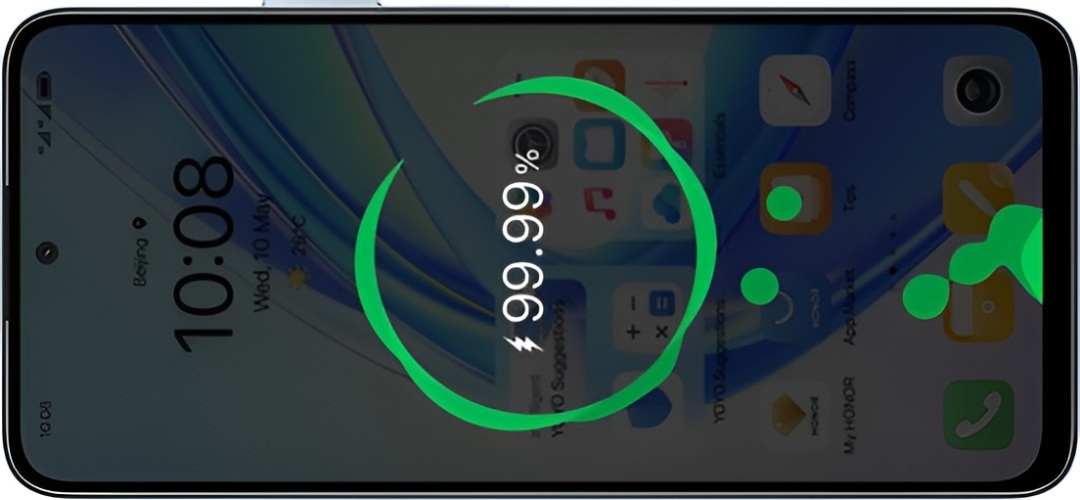
In some cases, replacing the battery restores the phone to normal performance and provides much longer battery life again. However, if the device is already several years old, upgrading the entire phone may offer a better long-term experience. Newer phones often include more efficient processors and larger batteries that handle daily use far more comfortably. Devices like the HONOR X7b phone naturally attract attention from heavy users because the large 6000mAh battery is designed to last much longer through workdays, travel, and entertainment without constant charging anxiety. Choosing a phone with stronger battery endurance can make everyday life feel much more convenient and reliable.

Conclusion Saving battery power means making smart adjustments before it gets too low. Low Power Mode, lower brightness, and disabling unneeded connections can help. Airplane mode or turning off the phone also preserves power. But batteries wear out over time—rapid drain and unexpected shutdowns signal it's time for a replacement. Small habits help, but a failing battery needs a permanent fix.
Read Next: How Marketing Automation Is Closing the Gap Between Small Teams and Big Agencies